
When cancelling your subscription you will continue to have access to the service until the end of your current paid-for period. Below is a step by step guide detailing how you can cancel.
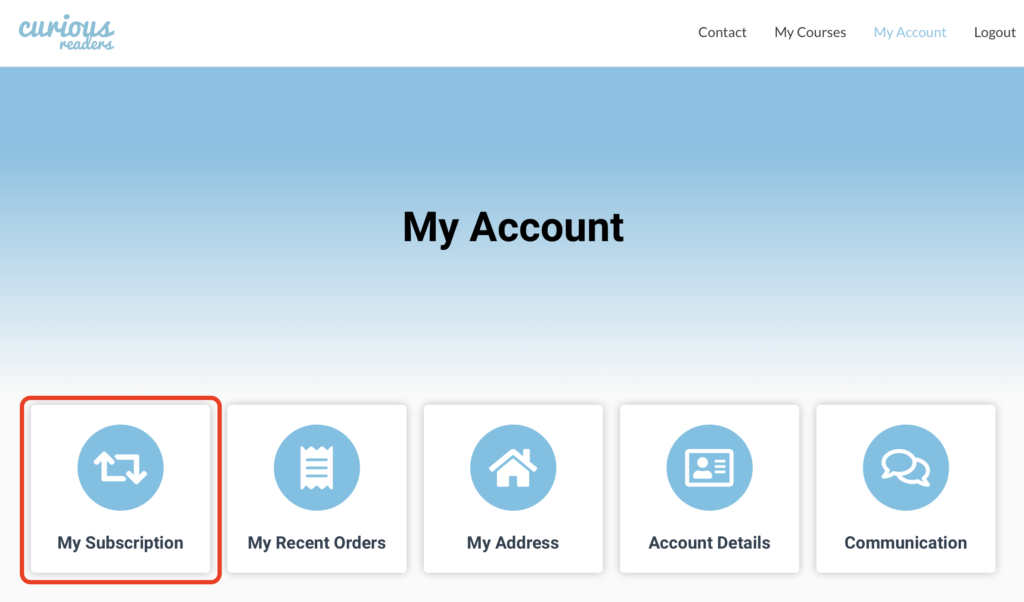
- Click on “My Account” on the main menu at the top of your screen

- Click on “My Subscription” on the My Account page
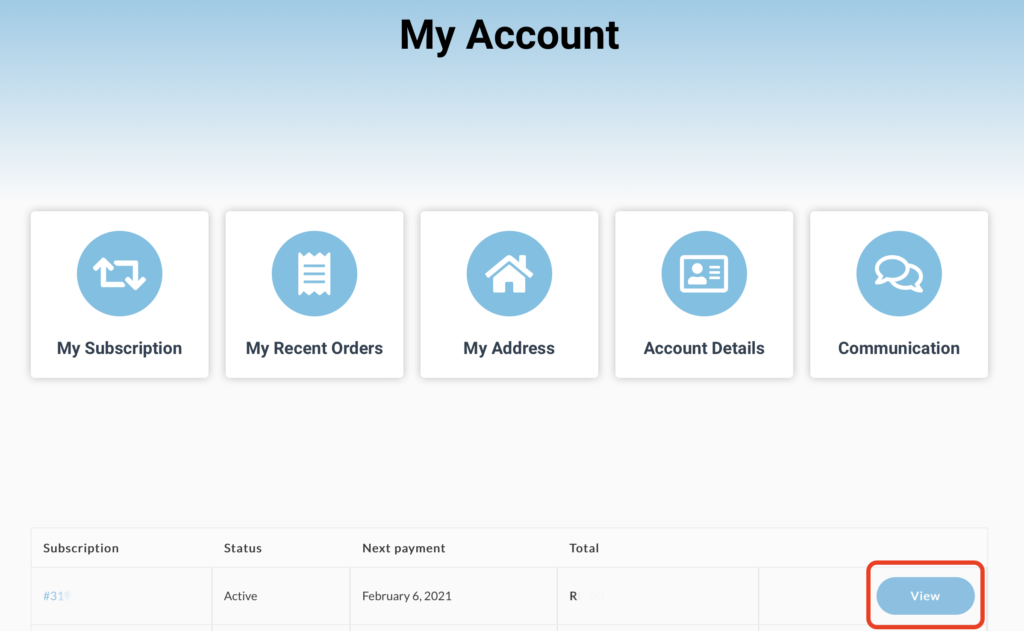
- Click on “View” next to your active subscription
- On the subscription detail screen that follows click on the “Cancel” button next to “Actions
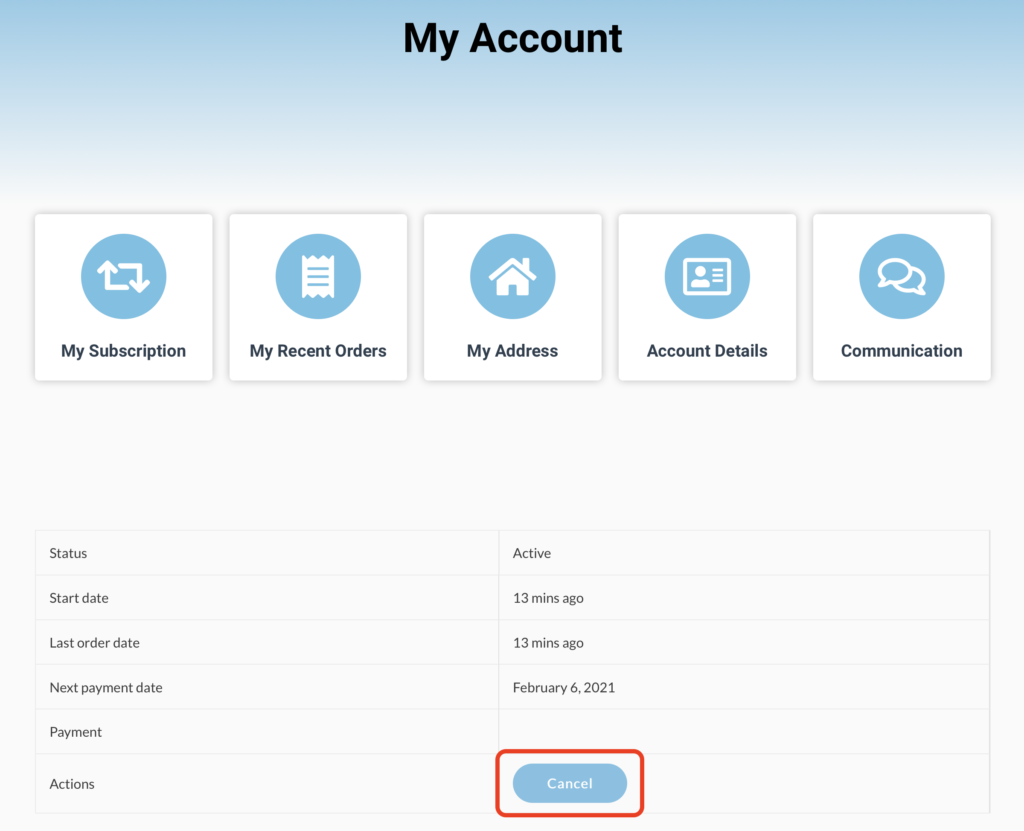
That’s it! Your subscription is now cancelled. If you wish to re-activate it simply log in and navigate back to the “My Subscription” page and click on “Re-Subscribe”.